🏆 Project – Build a Complete Website · Lesson 36
Project: SEO, Sitemap & Go Live
Step 1: SEO files
JS – app/sitemap.js
import { courses } from '@/lib/courses'
import { getAllPosts } from '@/lib/posts'
import { site } from '@/lib/site'

// Next.js turns this into /sitemap.xml automatically.
export default function sitemap() {
  const now = new Date()
  const pages = ['', '/courses', '/blog', '/about', '/contact'].map((p) => ({
    url: `${site.url}${p}`,
    lastModified: now,
    changeFrequency: p === '' ? 'weekly' : 'monthly',
    priority: p === '' ? 1 : 0.8,
  }))
  const coursePages = courses.map((c) => ({ url: `${site.url}/courses/${c.slug}`, lastModified: now, priority: 0.9 }))
  const postPages = getAllPosts().map((p) => ({ url: `${site.url}/blog/${p.slug}`, lastModified: new Date(p.date), priority: 0.7 }))
  return [...pages, ...coursePages, ...postPages]
}
JS – app/robots.js
import { site } from '@/lib/site'

// Next.js turns this into /robots.txt automatically.
export default function robots() {
  return {
    rules: [{ userAgent: '*', allow: '/', disallow: ['/api/'] }],
    sitemap: `${site.url}/sitemap.xml`,
  }
}
Step 2: OG image and icon
JSX – app/opengraph-image.jsx
import { ImageResponse } from 'next/og'
import { site } from '@/lib/site'

// Social share image (1200×630) generated at build time for the home page.
export const alt = `${site.name} – ${site.tagline}`
export const size = { width: 1200, height: 630 }
export const contentType = 'image/png'

export default function OpengraphImage() {
  return new ImageResponse(
    (
      <div style={{ width: '100%', height: '100%', display: 'flex', flexDirection: 'column', justifyContent: 'center', padding: 80, background: 'linear-gradient(135deg,#4f46e5,#0f172a)', color: '#fff' }}>
        <div style={{ fontSize: 88, fontWeight: 800 }}>{site.name}</div>
        <div style={{ fontSize: 44, marginTop: 16, opacity: 0.9 }}>{site.tagline}</div>
      </div>
    ),
    size
  )
}
SVG – app/icon.svg (favicon)
<svg xmlns="http://www.w3.org/2000/svg" viewBox="0 0 64 64"><rect width="64" height="64" rx="14" fill="#4f46e5"/><text x="32" y="43" font-size="30" text-anchor="middle" fill="#fff" font-family="Arial" font-weight="700">E</text></svg>
Step 3: 404 and error pages
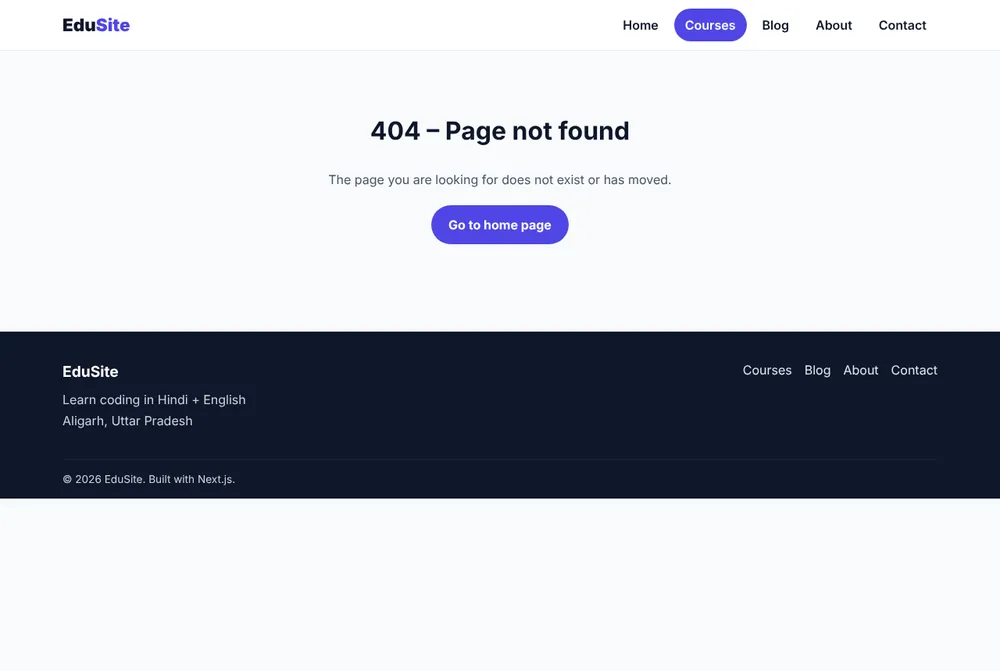
JSX – app/not-found.jsx
import Link from 'next/link'

export default function NotFound() {
  return (
    <div className="container section" style={{ textAlign: 'center' }}>
      <h1>404 – Page not found</h1>
      <p className="lead" style={{ margin: '0 auto' }}>The page you are looking for does not exist or has moved.</p>
      <p style={{ marginTop: 20 }}><Link href="/" className="btn">Go to home page</Link></p>
    </div>
  )
}
JSX – app/error.jsx
'use client' // error boundaries must be Client Components

export default function Error({ error, reset }) {
  return (
    <div className="container section" style={{ textAlign: 'center' }}>
      <h1>Something went wrong</h1>
      <p className="lead" style={{ margin: '0 auto' }}>Please try again. If the problem continues, contact us.</p>
      <button className="btn" style={{ marginTop: 20 }} onClick={() => reset()}>Try again</button>
    </div>
  )
}
Step 4: Redirects
JS – proxy.js
import { NextResponse } from 'next/server'

// Proxy (called "middleware" before Next.js 16) runs before every matched request.
// Here: old URLs like /course/python-ai are permanently moved to /courses/python-ai.
export function proxy(request) {
  const { pathname } = request.nextUrl
  if (pathname.startsWith('/course/')) {
    const url = request.nextUrl.clone()
    url.pathname = pathname.replace('/course/', '/courses/')
    return NextResponse.redirect(url, 308)
  }
  return NextResponse.next()
}

export const config = { matcher: ['/course/:path*'] }
JS – next.config.mjs
/** @type {import('next').NextConfig} */
const nextConfig = {
  // Simple permanent redirects live here (no code needed).
  async redirects() {
    return [{ source: '/home', destination: '/', permanent: true }]
  },
  images: {
    // Allow optimized images in two sizes that this site actually uses.
    qualities: [75, 90],
  },
}

export default nextConfig
Step 5: Production build
Terminal – npm run build
$ npm run build
✓ Compiled successfully
✓ Generating static pages (21/21)
Route (app)
┌ ○ /
├ ○ /_not-found
├ ○ /about
├ ƒ /api/courses
├ ○ /blog
├ /blog/[slug]
│ ├ ● /blog/why-nextjs-for-websites
│ ├ ● /blog/python-vs-c-first-language
│ └ ● /blog/how-to-start-coding
├ ƒ /contact
├ ƒ /courses
├ /courses/[slug]
│ ├ ● /courses/c-programming
│ ├ ● /courses/python-ai
│ ├ ● /courses/web-development
│ └ ● [+3 more paths]
├ ○ /icon.svg
├ ○ /opengraph-image
├ ○ /robots.txt
└ ○ /sitemap.xml
ƒ Proxy (Middleware)
Step 6: Verify everything
Terminal – quick checks
$ curl -s -o /dev/null -w "%{http_code}\n" http://localhost:3000/courses/abc
404
$ curl -sI http://localhost:3000/course/python-ai | head -2
HTTP/1.1 308 Permanent Redirect
location: /courses/python-ai
$ curl -sI http://localhost:3000/home | head -2
HTTP/1.1 308 Permanent Redirect
location: /
$ curl -s http://localhost:3000/sitemap.xml | grep -c "<url>"
14
- 1Lighthouse (mobile): Performance, SEO, Accessibility, Best Practices
- 2View source on 3 pages: unique
, description, canonical</span></li><li><b class="n">3</b><span>Rich Results Test on a course page (Course schema)</span></li><li><b class="n">4</b><span>Share the home URL in WhatsApp → OG image appears</span></li><li><b class="n">5</b><span>Submit the contact form → entry in data/messages.json</span></li></ol><figcaption>Launch checklist</figcaption></figure></section> <section> <h2 id="deploy">Step 7: Deploy</h2> <p>Follow the Deploy lesson: set <code>SITE_URL</code> to your domain, then deploy to Vercel or a VPS with PM2 + Nginx. After going live, submit <code>https://your-domain/sitemap.xml</code> in Google Search Console.</p> </section> <section> <h2 id="done">You built a complete website!</h2> <figure class="ce-viz"><svg viewBox="0 0 640 324" style="max-width:768px" xmlns="http://www.w3.org/2000/svg" role="img" aria-label="What EduSite covers" font-family="Inter,'Noto Sans Devanagari',Arial,sans-serif"><defs><marker id="cva1" viewBox="0 0 10 10" refX="9" refY="5" markerWidth="7" markerHeight="7" orient="auto-start-reverse"><path d="M0 0L10 5L0 10z" fill="#475569"/></marker></defs><rect x="12" y="12" width="616" height="52" rx="10" fill="#f5f3ff" stroke="#7c3aed" stroke-width="2"/><text x="30" y="34" font-size="14.5" font-weight="800" fill="#4c1d95">Routing</text><text x="30" y="52" font-size="12" fill="#475569">layouts, dynamic [slug], route handler, proxy</text><rect x="12" y="74" width="616" height="52" rx="10" fill="#eff6ff" stroke="#2563eb" stroke-width="2"/><text x="30" y="96" font-size="14.5" font-weight="800" fill="#1e3a8a">Rendering</text><text x="30" y="114" font-size="12" fill="#475569">Server + Client Components, SSG ●, dynamic ƒ</text><rect x="12" y="136" width="616" height="52" rx="10" fill="#f0fdfa" stroke="#0d9488" stroke-width="2"/><text x="30" y="158" font-size="14.5" font-weight="800" fill="#134e4a">Data</text><text x="30" y="176" font-size="12" fill="#475569">JS data file, Markdown files, Server Action</text><rect x="12" y="198" width="616" height="52" rx="10" fill="#ecfdf5" stroke="#059669" stroke-width="2"/><text x="30" y="220" font-size="14.5" font-weight="800" fill="#064e3b">SEO</text><text x="30" y="238" font-size="12" fill="#475569">metadata, canonical, OG image, JSON-LD, sitemap, robots</text><rect x="12" y="260" width="616" height="52" rx="10" fill="#fff7ed" stroke="#ea580c" stroke-width="2"/><text x="30" y="282" font-size="14.5" font-weight="800" fill="#7c2d12">Performance</text><text x="30" y="300" font-size="12" fill="#475569">next/image, next/font, small client islands</text></svg><figcaption>What EduSite covers</figcaption></figure><p>Download the complete project from the card on this page, run <code>npm install</code> and <code>npm run dev</code>, and make it yours. Next, try the <a href="/tutorial/nextjs/nextjs-interview-questions/">Next.js interview questions</a>.</p> <div class="info-box tip"><div class="box-title">✅ Final challenge</div><p>Turn EduSite into a site for a real local business (gym, school, clinic): change the data, colours and images, connect the form to MySQL, and deploy it on your own domain.</p></div> </section> <section class="ce-faq"><h2>Frequently Asked Questions</h2><details class="ce-faq-item"><summary>What should I do after the site is live?</summary><div class="ce-faq-a">Submit sitemap.xml in Google Search Console, add the site to Google Business Profile for local searches, and publish one helpful blog post every week.</div></details><details class="ce-faq-item"><summary>How do I add a new course later?</summary><div class="ce-faq-a">Add an object to lib/courses.js with an image in public/images, then rebuild and redeploy. The list, detail page, sitemap and API update automatically.</div></details></section></div> <div style="margin-top:32px;display:flex;justify-content:space-between;align-items:center;flex-wrap:wrap;gap:12px;"> <button class="mark-done-btn btn-primary">✓ Mark as Done</button> <a href="/tutorial/nextjs/" style="font-size:0.85rem;color:var(--text-muted);">← Next.js Tutorial</a> </div> <style> .ckf-share{margin:30px 0 8px;background:linear-gradient(135deg,#eafff1,#ffffff 70%);border:1px solid #cbe8d4;border-radius:18px;padding:20px;box-shadow:0 8px 22px rgba(22,163,74,.08);font-family:inherit} .ckf-share-head{display:flex;gap:12px;align-items:flex-start;margin-bottom:15px} .ckf-share-icon{font-size:1.6rem;line-height:1;flex-shrink:0} .ckf-share-title{font-weight:800;font-size:1.05rem;color:#111827;margin:0} .ckf-share-sub{font-size:.86rem;color:#5b6470;margin-top:3px;line-height:1.5} .ckf-share-actions{display:flex;flex-wrap:wrap;gap:10px;margin-bottom:14px} .ckf-share-btn{display:inline-flex;align-items:center;gap:7px;border:1px solid #cbe8d4;background:#fff;color:#1f2937;font-weight:700;font-size:.88rem;padding:10px 16px;border-radius:999px;cursor:pointer;transition:all .18s ease;line-height:1;text-decoration:none} .ckf-share-btn:hover{transform:translateY(-2px);box-shadow:0 8px 18px rgba(17,24,39,.12)} .ckf-share-btn.wa:hover{border-color:#25d366;color:#128c44;background:#eafff1} .ckf-share-btn.tg:hover{border-color:#229ed9;color:#176f9b;background:#e8f6fd} .ckf-share-btn.cp:hover{border-color:#b8901f;color:#b8901f;background:#fdf6e3} .ckf-share-btn.nt:hover{border-color:#16a34a;color:#15803d;background:#eafff1} .ckf-share-link{width:100%;box-sizing:border-box;border:1px dashed #cbe8d4;background:#fbfdfa;border-radius:12px;padding:11px 13px;font-family:monospace;font-size:.82rem;color:#6b7280;outline:none} .ckf-share-link:focus{border-color:#16a34a;background:#fff;color:#1f2937} @media(max-width:560px){.ckf-share-btn{flex:1 1 auto;justify-content:center}} </style> <div class="ckf-share" data-share-url="https://codingeasily.in/tutorial/nextjs/nextjs-project-seo-launch/" data-share-en="Project: SEO, Sitemap & Go Live" data-share-hi="Project: SEO, Sitemap और Live करें"> <div class="ckf-share-head"> <span class="ckf-share-icon">🔗</span> <div> <p class="ckf-share-title english-content">Share this topic with a friend</p> <p class="ckf-share-title hindi-content">यह topic किसी दोस्त को भेजें</p> <p class="ckf-share-sub english-content">Found it useful? Send it to a classmate learning the same thing.</p> <p class="ckf-share-sub hindi-content">अच्छा लगा? जो दोस्त यही सीख रहा है, उसे भेज दीजिए।</p> </div> </div> <div class="ckf-share-actions"> <button type="button" class="ckf-share-btn wa" data-net="whatsapp"><span>💬</span><span>WhatsApp</span></button> <button type="button" class="ckf-share-btn tg" data-net="telegram"><span>✈️</span><span>Telegram</span></button> <button type="button" class="ckf-share-btn cp" data-net="copy"><span>📋</span><span class="english-content">Copy Link</span><span class="hindi-content">Link Copy</span></button> <button type="button" class="ckf-share-btn nt" data-net="native"><span>📤</span><span class="english-content">More</span><span class="hindi-content">और</span></button> </div> <input type="text" class="ckf-share-link" readonly value="https://codingeasily.in/tutorial/nextjs/nextjs-project-seo-launch/" aria-label="Topic link" onclick="this.select()"> </div> <script> (function(){ var box = document.currentScript.previousElementSibling; if(!box || !box.classList.contains('ckf-share')) { var boxes = document.getElementsByClassName('ckf-share'); box = boxes[boxes.length-1]; } if(!box) return; var url = box.getAttribute('data-share-url') || location.href; function isHi(){ return document.body.classList.contains('body-hi') || (document.querySelector('.hindi-content') && getComputedStyle(document.querySelector('.hindi-content')).display !== 'none'); } function title(){ return isHi() ? (box.getAttribute('data-share-hi')||'') : (box.getAttribute('data-share-en')||''); } function msg(){ return isHi() ? ('यह free tutorial देखो CodingEasily पर: ' + title() + '\n' + url) : ('Check out this free tutorial on CodingEasily: ' + title() + '\n' + url); } function flash(btn){ var s=btn.querySelector('span:last-child'); if(!s)return; var o=s.textContent; s.textContent='✓ Copied'; setTimeout(function(){s.textContent=o;},1500); } var btns = box.querySelectorAll('.ckf-share-btn'); for(var i=0;i<btns.length;i++){ btns[i].addEventListener('click', function(){ var net=this.getAttribute('data-net'); var self=this; if(net==='whatsapp'){ window.open('https://wa.me/?text='+encodeURIComponent(msg()),'_blank'); } else if(net==='telegram'){ window.open('https://t.me/share/url?url='+encodeURIComponent(url)+'&text='+encodeURIComponent(title()),'_blank'); } else if(net==='copy'){ if(navigator.clipboard){navigator.clipboard.writeText(url).then(function(){flash(self);});} else {var t=document.createElement('textarea');t.value=url;document.body.appendChild(t);t.select();try{document.execCommand('copy');flash(self);}catch(e){}document.body.removeChild(t);} } else if(net==='native'){ if(navigator.share){navigator.share({title:title(),text:title(),url:url});} else if(navigator.clipboard){navigator.clipboard.writeText(url).then(function(){flash(self);});} } }); } })(); </script> <nav class="topic-nav"> <a href="/tutorial/nextjs/nextjs-project-contact/" class="topic-nav-btn"><span style="font-size:1.2rem;">←</span> <div><div class="tnb-label">Previous</div><div class="tnb-title">Project: Contact Form (Server Action)</div></div></a> <a href="/tutorial/nextjs/nextjs-interview-questions/" class="topic-nav-btn" style="text-align:right;margin-left:auto;"> <div><div class="tnb-label">Next Lesson</div><div class="tnb-title">Next.js Interview Questions</div></div><span style="font-size:1.2rem;">→</span></a> </nav> </main> <script> document.querySelectorAll('.lsi-btn[data-lang]').forEach(function (b) { b.addEventListener('click', function () { var u = new URL(window.location.href); if (this.dataset.lang === 'hi') u.searchParams.set('lang', 'hi'); else u.searchParams.delete('lang'); window.location.assign(u.toString()); }); }); </script> <aside class="tutorial-right"> <div class="right-section"> <div class="right-title">On This Page</div> <ul class="toc-list"><li><a href="#files">Step 1: SEO files</a></li><li><a href="#og">Step 2: OG image and icon</a></li><li><a href="#errors">Step 3: 404 and error pages</a></li><li><a href="#redirects">Step 4: Redirects</a></li><li><a href="#build">Step 5: Production build</a></li><li><a href="#verify">Step 6: Verify everything</a></li><li><a href="#deploy">Step 7: Deploy</a></li><li><a href="#done">You built a complete website!</a></li></ul> </div> <div class="right-section"> <div class="right-title">Project Code</div> <a href="/download/nextjs-edusite-project/" class="ut-side" style="display:flex;gap:9px;align-items:center;padding:10px;border-radius:12px;border:1.5px solid #c7d2fe;text-decoration:none;color:#1e293b;background:#f5f7ff"> <span aria-hidden="true">⬇️</span><span><b style="color:#4338ca">Download EduSite (Next.js)</b><small style="display:block;color:#475569;font-size:.74rem">Full source code (ZIP) · free login</small></span> </a> </div> <div class="right-section"> <div class="right-title">Free Tools</div> <a class="ut-side" href="https://upyogitools.in/" target="_blank" rel="noopener" aria-label="UpyogiTools.in"> <span aria-hidden="true">🧰</span> <span><b>UpyogiTools.in</b><small>Free PDF & photo tools →</small></span> </a> </div> </aside> </div> </main> <style> .ce-ns{width:min(980px,calc(100% - 28px));margin:26px auto 0;display:flex;align-items:center;gap:16px;text-decoration:none;color:#fff;background:linear-gradient(135deg,#1d4ed8,#0ea5e9);border-radius:20px;padding:18px 20px;box-shadow:0 12px 28px rgba(29,78,216,.25)} .ce-ns:hover{filter:brightness(1.05)} .ce-ns:focus-visible{outline:3px solid #f97316;outline-offset:3px} .ce-ns .i{font-size:1.9rem;line-height:1} .ce-ns .t{flex:1;min-width:0} .ce-ns .k{font:800 .72rem/1 system-ui,sans-serif;letter-spacing:.08em;text-transform:uppercase;opacity:.9} .ce-ns .h{display:block;font-size:1.15rem;font-weight:900;margin:5px 0 8px;line-height:1.3} .ce-ns .bar{height:6px;border-radius:99px;background:rgba(255,255,255,.3);overflow:hidden} .ce-ns .bar b{display:block;height:100%;background:#fde68a;border-radius:99px} .ce-ns .s{font-size:.8rem;opacity:.9;margin-top:5px;display:block} .ce-ns .go{font-weight:900;background:#fff;color:#1d4ed8;border-radius:999px;padding:9px 14px;white-space:nowrap} @media(max-width:560px){.ce-ns{flex-wrap:wrap}.ce-ns .go{width:100%;text-align:center}} </style> <a class="ce-ns" href="/tutorial/nextjs/nextjs-interview-questions/"> <span class="i" aria-hidden="true">👉</span> <span class="t"><span class="k">Next topic</span><span class="h">Next.js Interview Questions</span> <span class="bar" aria-hidden="true"><b style="width:97%"></b></span> <span class="s">Your progress: 36 / 37 (97%) · Lesson 37 / 37</span></span> <span class="go">Continue →</span> </a> <style> .ce-fb{width:min(980px,calc(100% - 28px));margin:26px auto 8px;background:#fff;border:1px solid #e2e8f0;border-radius:18px;padding:18px 20px;box-shadow:0 6px 18px rgba(15,23,42,.05);font-size:.95rem;color:#1e293b} .ce-fb h2{margin:0;font-size:1.15rem;color:#14213d}.ce-fb .sub{margin:4px 0 12px;color:#64748b;font-size:.9rem} .ce-fb-votes{display:flex;flex-wrap:wrap;gap:10px;align-items:center} .ce-fb-v{display:inline-flex;align-items:center;gap:8px;padding:10px 16px;border-radius:999px;border:1.5px solid #cbd5e1;background:#f8fafc;font-weight:800;cursor:pointer;font-size:.95rem;color:#1e293b;min-height:44px} .ce-fb-v:hover{border-color:#16a34a}.ce-fb-v[aria-pressed=true]{background:#ecfdf5;border-color:#16a34a;color:#14532d} .ce-fb-v.dn[aria-pressed=true]{background:#fef2f2;border-color:#ef4444;color:#7f1d1d} .ce-fb-v b{font-variant-numeric:tabular-nums;color:#475569;font-weight:700} .ce-fb-st{font-size:.88rem;color:#15803d;font-weight:700;min-height:1.2em} .ce-fb details{margin-top:12px}.ce-fb summary{cursor:pointer;font-weight:800;color:#1d4ed8;padding:6px 0} .ce-fb form{display:grid;grid-template-columns:1fr 1fr 1fr;gap:10px;margin-top:10px} .ce-fb label{display:block;font-weight:700;font-size:.82rem;margin-bottom:4px;color:#334155} .ce-fb input,.ce-fb select,.ce-fb textarea{width:100%;box-sizing:border-box;padding:10px 12px;border:1.5px solid #cbd5e1;border-radius:10px;font:inherit;background:#f8fafc;color:#0f172a} .ce-fb textarea{min-height:92px;resize:vertical}.ce-fb .full{grid-column:1/-1} .ce-fb .hp{position:absolute;left:-9999px;width:1px;height:1px;overflow:hidden} .ce-fb button.send{justify-self:start;padding:11px 20px;border:0;border-radius:999px;background:linear-gradient(135deg,#16a34a,#15803d);color:#fff;font-weight:800;cursor:pointer;min-height:44px} .ce-fb .note{font-size:.78rem;color:#64748b;margin:0} .ce-fb-list{margin-top:14px;border-top:1px dashed #cbd5e1;padding-top:10px} .ce-fb-list h3{font-size:.95rem;margin:4px 0 8px;color:#0f766e} .ce-fb-r{padding:10px 12px;border-radius:12px;background:#f8fafc;border:1px solid #e2e8f0;margin-bottom:8px} .ce-fb-r .who{font-weight:800;font-size:.86rem;color:#14213d}.ce-fb-r .who small{color:#64748b;font-weight:600} .ce-fb-r p{margin:4px 0 0;color:#334155;line-height:1.55;white-space:pre-line} @media(max-width:640px){.ce-fb form{grid-template-columns:1fr}} </style> <section class="ce-fb" id="ce-feedback" aria-labelledby="ce-fb-h" data-cfg="{"api":"\/api\/feedback.php","page":"\/tutorial\/nextjs\/nextjs-project-seo-launch\/","lang":"en","t":"1793164491.a97fbb5280e47d3e25c956ed90fbf038","msg":{"thanks":"Thank you! Your vote is recorded.","ok":"Thank you! Your review has been received and will appear here after a quick check.","err":"Something went wrong. Please try again in a little while.","none":"No reviews yet \u2013 be the first to write one!","from":"from"},"learners":{"student":"Student (school\/college)","teacher":"Teacher","job":"Working professional","self":"Self-learner","other":"Other"}}"> <h2 id="ce-fb-h">How was this lesson?</h2> <p class="sub">Your feedback helps us make the content better.</p> <div class="ce-fb-votes"> <button type="button" class="ce-fb-v up" data-v="1" aria-pressed="false">👍 Helpful <b data-n="up"></b></button> <button type="button" class="ce-fb-v dn" data-v="-1" aria-pressed="false">👎 Not helpful <b data-n="dn"></b></button> <span class="ce-fb-st" role="status" aria-live="polite"></span> </div> <details> <summary>Write a review or suggestion (optional)</summary> <form novalidate> <div><label for="ce-fb-name">Your name *</label><input id="ce-fb-name" name="fb_name" maxlength="60" required autocomplete="name"></div> <div><label for="ce-fb-city">City / State</label><input id="ce-fb-city" name="city" maxlength="60" autocomplete="address-level2"></div> <div><label for="ce-fb-who">You are a…</label><select id="ce-fb-who" name="learner"><option value="">Choose</option><option value="student">Student (school/college)</option><option value="teacher">Teacher</option><option value="job">Working professional</option><option value="self">Self-learner</option><option value="other">Other</option></select></div> <div class="full"><label for="ce-fb-msg">Review or suggestion *</label><textarea id="ce-fb-msg" name="message" maxlength="1000" required placeholder="What you liked, what was unclear, which topic you want next…"></textarea></div> <div class="hp" aria-hidden="true"><label>Website<input name="website" tabindex="-1" autocomplete="off"></label></div> <p class="note full">After approval, your name and city may appear publicly with your review. Please do not write your email or phone number.</p> <button type="submit" class="send">Send review</button> </form> </details> <div class="ce-fb-list" hidden><h3>Reviews from readers</h3><div class="ce-fb-items"></div></div> </section> <script> (function(){var box=document.getElementById('ce-feedback');if(!box||box.__fb)return;box.__fb=1; var C;try{C=JSON.parse(box.getAttribute('data-cfg'))}catch(e){return} var st=box.querySelector('.ce-fb-st'),key='ce_fb_'+C.page,loaded=false; function get(k){try{return localStorage.getItem(k)}catch(e){return null}}function set(k,v){try{localStorage.setItem(k,v)}catch(e){}} function mark(v){box.querySelectorAll('.ce-fb-v').forEach(function(b){b.setAttribute('aria-pressed',String(b.getAttribute('data-v'))===String(v))})} function esc(s){var d=document.createElement('div');d.textContent=s==null?'':String(s);return d.innerHTML} function counts(d){box.querySelector('[data-n=up]').textContent=d.up?'('+d.up+')':'';box.querySelector('[data-n=dn]').textContent=d.down?'('+d.down+')':''} function list(d){var w=box.querySelector('.ce-fb-list'),it=box.querySelector('.ce-fb-items');w.hidden=false; if(!d.reviews||!d.reviews.length){it.innerHTML='<p class="note">'+esc(C.msg.none)+'</p>';return} it.innerHTML=d.reviews.map(function(r){var who=esc(r.name)+(r.city?' <small>'+(C.lang==='hi'?esc(r.city)+' '+esc(C.msg.from):esc(C.msg.from)+' '+esc(r.city))+'</small>':'')+(r.learner&&C.learners[r.learner]?' <small>· '+esc(C.learners[r.learner])+'</small>':''); return '<div class="ce-fb-r"><div class="who">'+(r.vote>0?'👍 ':r.vote<0?'👎 ':'')+who+'</div><p>'+esc(r.message)+'</p></div>'}).join('')} function load(){if(loaded)return;loaded=true;fetch(C.api+'?p='+encodeURIComponent(C.page),{credentials:'same-origin'}).then(function(r){return r.json()}).then(function(d){if(d&&d.ok){counts(d);list(d)}}).catch(function(){})} function post(data,cb){data.p=C.page;data.t=C.t;data.lang=C.lang;var b=new URLSearchParams();for(var k in data)b.append(k,data[k]); fetch(C.api,{method:'POST',body:b,credentials:'same-origin',headers:{'X-Requested-With':'fetch'}}).then(function(r){return r.json()}).then(cb).catch(function(){cb({ok:false})})} var prev=get(key);if(prev)mark(prev); box.querySelectorAll('.ce-fb-v').forEach(function(b){b.addEventListener('click',function(){var v=b.getAttribute('data-v');mark(v);set(key,v); post({action:'vote',vote:v},function(d){st.style.color=d.ok?'#15803d':'#b91c1c';st.textContent=d.ok?C.msg.thanks:(d.msg||C.msg.err);if(d.ok)counts(d)})})}); var f=box.querySelector('form');f.addEventListener('submit',function(e){e.preventDefault();var E=f.elements;if(!E.fb_name.value.trim()||!E.message.value.trim()){(E.fb_name.value.trim()?E.message:E.fb_name).focus();return} var btn=f.querySelector('.send');btn.disabled=true; post({action:'review',name:E.fb_name.value,city:E.city.value,learner:E.learner.value,message:E.message.value,website:E.website.value,vote:get(key)||0},function(d){btn.disabled=false; var m=document.createElement('p');m.className='note full';m.style.cssText='font-weight:700;color:'+(d.ok?'#15803d':'#b91c1c');m.textContent=d.ok?C.msg.ok:(d.msg||C.msg.err); var o=f.querySelector('.ce-fb-out');if(o)o.remove();m.classList.add('ce-fb-out');f.appendChild(m);if(d.ok)f.reset()})}); if('IntersectionObserver' in window){var io=new IntersectionObserver(function(es){if(es[0].isIntersecting){load();io.disconnect()}},{rootMargin:'300px'});io.observe(box)}else load(); })(); </script> <section class="cev-strip" aria-label="CodingEasily YouTube"><div><span class="cev-kicker">▶ CodingEasily on YouTube</span><h2>Learn with video lessons in easy Hindi</h2><p>Featured video: RDBMS Part 3 – Class XI Commerce IT</p><a class="cev-sub" href="https://youtube.com/@codingeasily?sub_confirmation=1" target="_blank" rel="noopener">▶ Subscribe – it’s free</a></div><div><style> .cev{position:relative;width:100%;aspect-ratio:16/9;background:#0f172a;border-radius:16px;overflow:hidden;box-shadow:0 10px 26px rgba(15,23,42,.18)} .cev-btn{all:unset;box-sizing:border-box;position:absolute;inset:0;cursor:pointer;display:block} .cev-btn img{width:100%;height:100%;object-fit:cover;display:block;color:transparent;transition:transform .25s} .cev-btn:hover img{transform:scale(1.03)} .cev-btn:focus-visible{outline:3px solid #f97316;outline-offset:-3px} .cev-play{position:absolute;left:50%;top:50%;width:68px;height:48px;transform:translate(-50%,-50%);filter:drop-shadow(0 4px 10px rgba(0,0,0,.35))} .cev-cap{position:absolute;left:0;right:0;bottom:0;padding:22px 14px 10px;background:linear-gradient(transparent,rgba(0,0,0,.72));color:#fff;font:700 .92rem/1.35 system-ui,-apple-system,Segoe UI,Roboto,sans-serif} .cev iframe{position:absolute;inset:0;width:100%;height:100%;border:0} .cev-strip{width:min(1180px,calc(100% - 28px));margin:28px auto 22px;display:grid;grid-template-columns:minmax(0,1fr) minmax(0,340px);gap:22px;align-items:center;background:linear-gradient(135deg,#eff6ff,#fff7ed);border:1px solid #dbeafe;border-radius:22px;padding:20px 22px} .cev-strip h2,.cev-lesson h2{margin:0 0 6px;font-size:1.18rem;line-height:1.3;color:#14213d} .cev-strip p,.cev-lesson p{margin:0 0 10px;color:#475569;font-size:.95rem} .cev-kicker{display:inline-block;font:800 .72rem/1 system-ui,sans-serif;letter-spacing:.08em;text-transform:uppercase;color:#dc2626;margin-bottom:8px} .cev-sub{display:inline-flex;align-items:center;gap:6px;background:#dc2626;color:#fff!important;text-decoration:none;font-weight:800;font-size:.88rem;padding:8px 14px;border-radius:999px} .cev-sub:hover{background:#b91c1c} .cev-lesson{width:min(980px,calc(100% - 28px));margin:26px auto;background:#fff;border:1px solid #e2e8f0;border-radius:22px;padding:20px} .cev-lesson .cev{margin-top:12px} @media(max-width:760px){.cev-strip{grid-template-columns:1fr;padding:16px}} @media (prefers-reduced-motion:reduce){.cev-btn img{transition:none}} </style> <script> (function(){ function play(btn){ var box=btn.parentNode, id=box.getAttribute('data-id'), t=box.getAttribute('data-title')||'YouTube video'; var f=document.createElement('iframe'); f.src='https://www.youtube-nocookie.com/embed/'+id+'?autoplay=1&rel=0&modestbranding=1'; f.title=t; f.allow='accelerometer; autoplay; clipboard-write; encrypted-media; gyroscope; picture-in-picture; web-share'; f.setAttribute('allowfullscreen',''); f.referrerPolicy='strict-origin-when-cross-origin'; box.innerHTML=''; box.appendChild(f); f.focus(); } document.addEventListener('click',function(e){ var b=e.target.closest ? e.target.closest('.cev-btn') : null; if(b){ e.preventDefault(); play(b); } }); /* warm up the connection only when someone shows interest (hover/focus) */ var warmed=false; function warm(e){ if(warmed||!e.target.closest||!e.target.closest('.cev-btn')) return; warmed=true; ['https://www.youtube-nocookie.com','https://www.google.com'].forEach(function(u){var l=document.createElement('link');l.rel='preconnect';l.href=u;document.head.appendChild(l);}); } document.addEventListener('pointerover',warm,{passive:true}); document.addEventListener('focusin',warm); })(); </script> <div class="cev" data-id="QToqM1ooF_A" data-title="RDBMS Part 3 – Class XI Commerce IT"><a class="cev-btn" href="https://www.youtube.com/watch?v=QToqM1ooF_A" aria-label="Play video: RDBMS Part 3 – Class XI Commerce IT"><img src="https://i.ytimg.com/vi/QToqM1ooF_A/hqdefault.jpg" width="480" height="360" alt="RDBMS Part 3 – Class XI Commerce IT – video thumbnail" loading="lazy" decoding="async"><svg class="cev-play" viewBox="0 0 68 48" aria-hidden="true"><path d="M66.5 7.7a8.5 8.5 0 0 0-6-6C55.3.3 34 .3 34 .3S12.7.3 7.5 1.7a8.5 8.5 0 0 0-6 6C.1 12.9.1 24 .1 24s0 11.1 1.4 16.3a8.5 8.5 0 0 0 6 6C12.7 47.7 34 47.7 34 47.7s21.3 0 26.5-1.4a8.5 8.5 0 0 0 6-6C67.9 35.1 67.9 24 67.9 24s0-11.1-1.4-16.3z" fill="#f00"/><path d="M45 24 27 14v20z" fill="#fff"/></svg><span class="cev-cap">RDBMS Part 3 – Class XI Commerce IT</span></a></div></div></section><aside class="ut-band" aria-label="UpyogiTools.in"> <a class="ut-rib" href="https://upyogitools.in/" target="_blank" rel="noopener"> <span class="ut-ic" aria-hidden="true">🧰</span> <span class="ut-txt"><span class="ut-new">FREE</span><b>UpyogiTools.in</b> — 40+ PDF & photo tools <small>Exam photo resize, merge & compress PDF · no signup · files stay on your device</small></span> <span class="ut-chips" aria-hidden="true"><span class="ut-chip">📸 Exam Photo Kit</span><span class="ut-chip">🗜️ Compress PDF</span></span> <span class="ut-go">Try free →</span> </a> </aside> <footer class="site-footer"> <div class="footer-inner"> <div class="footer-brand"> <a href="/" class="logo footer-logo"> <img src="/assets/img/logo-full.webp" width="150" height="128" alt="CodingEasily – Learn, Practice, Grow" loading="lazy" decoding="async"> </a> <p class="english-content">Programming tutorials in Hindi and English. Learn with simple examples, output, practice and projects.</p> <p class="hindi-content">Hindi और English में programming tutorials। Simple examples, output, practice और projects के साथ सीखें।</p> </div> <div class="footer-links"> <div> <h4>Tutorials</h4> <a href="/tutorial/c/">C Language</a> <a href="/tutorial/php/">PHP</a> <a href="/tutorial/mysql/">MySQL + DBMS + RDBMS</a> <a href="/tutorial/python/">Python + DS + ML + AI</a> <a href="/tutorial/java/">Java</a> <a href="/tutorial/cpp/">C++ Complete</a> <a href="/tutorial/nextjs/">Next.js</a> <a href="/tutorial/android/">Android (Kotlin)</a> <a href="/tutorial/android-ecommerce/">E-commerce App</a> <a href="/tutorial/class-11-cs/">Class 11 CS</a><a href="/tutorial/class-11-ip/">Class 11 IP</a><a href="/tutorial/class-12-cs/">Class 12 CS</a><a href="/tutorial/class-12-ip/">Class 12 IP</a> <a href="/tutorial/data-science/">Data Science (60 Days)</a><a href="/tutorial/html/">HTML (15 Days)</a><a href="/tutorial/css/">CSS (20 Days)</a><a href="/tutorial/javascript/">JavaScript (30 Days)</a><a href="/tutorial/tally-prime/">Tally Prime + Accounting (30 Days)</a><a href="/tutorial/seo/">SEO in 10 Days</a> <a href="/tutorial/digital-tips/">Digital Tips</a> <a href="/programs/">Simple Programs Lab</a> <a href="/tutorial/cyber-security/">Cyber Safety India</a> </div> <div> <h4>Important Links</h4> <a href="/about/">About</a> <a href="/contact/">Contact</a> <a href="/privacy-policy/">Privacy Policy</a> <a href="/disclaimer/">Disclaimer</a> <a href="/terms/">Terms of Use</a> <a href="/editorial-policy/">Editorial Policy</a> <a href="/author/">Author / Review Info</a> <a href="/sitemap.xml">XML Sitemap</a> <a href="https://fileimagecalhelp.codingeasily.in/" rel="noopener">Free Image & PDF Tools</a> <a href="https://upyogitools.in/" target="_blank" rel="noopener" title="Free Online Utility Tools">UpyogiTools — Free Online Tools</a> </div> <div> <h4>For Students</h4> <a href="/tutorial/c/introduction/">Start C Language</a> <a href="/tutorial/c/c-programs-50/">50 C Programs</a> <a href="/tutorial/c/c-quiz/">C MCQ Quiz</a> <a href="/tutorial/python/python-introduction/">Start Python + AI</a> <a href="/tutorial/python/python-quiz/">Python + AI Quiz</a> <a href="/learning-roadmap/">Learning Roadmap</a> <a href="/notes/class-10-it-402/">Class X IT (402) Notes</a> <a href="/notes/">All CBSE Notes</a> <a href="/blog/">Programming Blog</a> <a href="/download/">Free Downloads</a> </div> </div> </div> <div class="footer-community"> <div class="fc-inner"> <div class="fc-text"> <strong class="english-content">Join the CodingEasily community</strong> <strong class="hindi-content">CodingEasily community से जुड़िए</strong> <span class="english-content">Get new tutorials, notes and exam tips — free. Follow us everywhere:</span> <span class="hindi-content">नए tutorials, notes और exam tips पाइए — बिल्कुल मुफ़्त। हमें हर जगह follow कीजिए:</span> </div> <div class="fc-actions"> <a class="fc-btn fc-yt" href="https://youtube.com/@codingeasily" target="_blank" rel="noopener nofollow" aria-label="Subscribe to CodingEasily on YouTube" title="YouTube"> <svg viewBox="0 0 24 24" width="18" height="18" fill="currentColor" aria-hidden="true"><path d="M23 7.1a3 3 0 0 0-2.1-2.1C19 4.5 12 4.5 12 4.5s-7 0-8.9.5A3 3 0 0 0 1 7.1 31 31 0 0 0 .5 12 31 31 0 0 0 1 16.9 3 3 0 0 0 3.1 19c1.9.5 8.9.5 8.9.5s7 0 8.9-.5a3 3 0 0 0 2.1-2.1 31 31 0 0 0 .5-4.9 31 31 0 0 0-.5-4.9zM9.8 15.3V8.7l5.7 3.3z"/></svg> <span>YouTube</span></a> <a class="fc-btn fc-fb" href="https://facebook.com/codingeasily" target="_blank" rel="noopener nofollow" aria-label="Follow CodingEasily on Facebook" title="Facebook"> <svg viewBox="0 0 24 24" width="18" height="18" fill="currentColor" aria-hidden="true"><path d="M22 12a10 10 0 1 0-11.6 9.9v-7H7.9V12h2.5V9.8c0-2.5 1.5-3.9 3.8-3.9 1.1 0 2.2.2 2.2.2v2.5h-1.3c-1.2 0-1.6.8-1.6 1.6V12h2.8l-.4 2.9h-2.4v7A10 10 0 0 0 22 12z"/></svg> <span>Facebook</span></a> <a class="fc-btn fc-ig" href="https://instagram.com/codingeasily" target="_blank" rel="noopener nofollow" aria-label="Follow CodingEasily on Instagram" title="Instagram"> <svg viewBox="0 0 24 24" width="18" height="18" fill="currentColor" aria-hidden="true"><path d="M12 2.2c3.2 0 3.6 0 4.9.1 1.2.1 1.8.3 2.2.4.6.2 1 .5 1.4.9.4.4.7.8.9 1.4.2.4.4 1 .4 2.2.1 1.3.1 1.7.1 4.9s0 3.6-.1 4.9c-.1 1.2-.3 1.8-.4 2.2-.2.6-.5 1-.9 1.4-.4.4-.8.7-1.4.9-.4.2-1 .4-2.2.4-1.3.1-1.7.1-4.9.1s-3.6 0-4.9-.1c-1.2-.1-1.8-.3-2.2-.4-.6-.2-1-.5-1.4-.9-.4-.4-.7-.8-.9-1.4-.2-.4-.4-1-.4-2.2C2.2 15.6 2.2 15.2 2.2 12s0-3.6.1-4.9c.1-1.2.3-1.8.4-2.2.2-.6.5-1 .9-1.4.4-.4.8-.7 1.4-.9.4-.2 1-.4 2.2-.4C8.4 2.2 8.8 2.2 12 2.2zm0 1.8c-3.1 0-3.5 0-4.7.1-1.1.1-1.7.2-2.1.4-.5.2-.9.4-1.3.8-.4.4-.6.8-.8 1.3-.2.4-.3 1-.4 2.1-.1 1.2-.1 1.6-.1 4.7s0 3.5.1 4.7c.1 1.1.2 1.7.4 2.1.2.5.4.9.8 1.3.4.4.8.6 1.3.8.4.2 1 .3 2.1.4 1.2.1 1.6.1 4.7.1s3.5 0 4.7-.1c1.1-.1 1.7-.2 2.1-.4.5-.2.9-.4 1.3-.8.4-.4.6-.8.8-1.3.2-.4.3-1 .4-2.1.1-1.2.1-1.6.1-4.7s0-3.5-.1-4.7c-.1-1.1-.2-1.7-.4-2.1-.2-.5-.4-.9-.8-1.3-.4-.4-.8-.6-1.3-.8-.4-.2-1-.3-2.1-.4-1.2-.1-1.6-.1-4.7-.1zm0 3.1a4.9 4.9 0 1 1 0 9.8 4.9 4.9 0 0 1 0-9.8zm0 8a3.1 3.1 0 1 0 0-6.2 3.1 3.1 0 0 0 0 6.2zm6.3-8.2a1.1 1.1 0 1 1-2.3 0 1.1 1.1 0 0 1 2.3 0z"/></svg> <span>Instagram</span></a> </div> </div> </div> <div class="footer-note english-content">All trademarks, logos, brand names, product names and service names belong to their respective owners and are used only for educational and reference purposes.</div> <div class="footer-note hindi-content">सभी trademarks, logos, brand names, product names और service names उनके संबंधित मालिकों की संपत्ति हैं और केवल educational तथा reference purpose के लिए उपयोग किए गए हैं।</div> <div class="footer-bottom">© 2026 CodingEasily.in · All rights reserved · Made for learners in India</div> </footer> <script> /* Remember Hindi/English choice across all tutorial pages */ (function () { var KEY = 'ce_lang'; function getPref() { try { return localStorage.getItem(KEY); } catch (e) { return null; } } function setPref(v) { try { localStorage.setItem(KEY, v); } catch (e) {} } var url = new URL(window.location.href); var urlLang = url.searchParams.get('lang'); var hasSwitch = document.querySelector('.lsi-btn[data-lang]'); if (urlLang === 'hi') { setPref('hi'); } else if (hasSwitch && getPref() === 'hi' && document.referrer.indexOf(location.host) !== -1) { url.searchParams.set('lang', 'hi'); window.location.replace(url.toString()); return; } document.addEventListener('click', function (e) { var b = e.target.closest ? e.target.closest('.lsi-btn[data-lang]') : null; if (b) setPref(b.getAttribute('data-lang') === 'hi' ? 'hi' : 'en'); }, true); if (urlLang === 'hi') { var links = document.querySelectorAll('a[href^="/tutorial/"]'); for (var i = 0; i < links.length; i++) { var a = links[i], h = a.getAttribute('href'); if (h.indexOf('lang=') !== -1 || h.indexOf('#') === 0) continue; var hash = '', k = h.indexOf('#'); if (k !== -1) { hash = h.slice(k); h = h.slice(0, k); } a.setAttribute('href', h + (h.indexOf('?') === -1 ? '?' : '&') + 'lang=hi' + hash); } } })(); </script> <script defer src="/assets/js/main.js?v=4.1"></script> <script defer src="/assets/js/ce-program-pack.js?v=1"></script> <script defer src="/assets/js/ce-chatbot.js?v=9"></script> </body> </html>