🛠️ PHP + MySQL REST API · Lesson 06
Categories & Banners API
One request for the whole Home screen
Look at the Home screen from top to bottom — every part is one key in the home.php response:
Step 1: categories.php
A sub-query counts the visible products in each category, so the Categories tab can show "4 products" under every tile. Hidden categories (is_active = 0) are skipped.
PHP – backend/api/categories.php
<?php
require_once __DIR__ . '/../includes/helpers.php';
require_method('GET');

$rows = db()->query(
    'SELECT c.id, c.name, c.slug, c.image,
            (SELECT COUNT(*) FROM products p WHERE p.category_id = c.id AND p.is_active = 1) AS product_count
     FROM categories c WHERE c.is_active = 1 ORDER BY c.sort_order, c.name'
)->fetchAll();

$out = array();
foreach ($rows as $r) {
    $out[] = array(
        'id' => (int) $r['id'],
        'name' => $r['name'],
        'slug' => $r['slug'],
        'image' => img_url($r['image']),
        'product_count' => (int) $r['product_count'],
    );
}
ok($out);
Step 2: banners.php and banner links
A banner can open something when tapped. We store that as two columns:
| link_type | link_id | The app opens |
|---|---|---|
| none | NULL | nothing (just a picture) |
| category | 3 | product list of category 3 (Electronics) |
| product | 7 | detail screen of product 7 |
PHP – backend/api/banners.php
<?php
require_once __DIR__ . '/../includes/helpers.php';
require_method('GET');

$rows = db()->query('SELECT * FROM banners WHERE is_active = 1 ORDER BY sort_order, id')->fetchAll();
$out = array();
foreach ($rows as $b) {
    $out[] = array(
        'id' => (int) $b['id'],
        'title' => $b['title'],
        'subtitle' => $b['subtitle'],
        'image' => img_url($b['image']),
        'link_type' => $b['link_type'],
        'link_id' => $b['link_id'] === null ? null : (int) $b['link_id'],
    );
}
ok($out);
💡 Sale without an app update
Because banners come from the database, the shop owner can start a Diwali sale from the admin panel and every phone shows it the next time Home loads — no new APK needed.
Step 3: home.php
Five simple queries, each one a section of the screen. "Top deals" sorts by discount percentage: (mrp - price) / mrp. If the user is logged in we also mark which products are in the wishlist.
PHP – backend/api/home.php
<?php
// Everything the Home screen needs in ONE request: banners, categories,
// featured products, deals and new arrivals.
require_once __DIR__ . '/../includes/helpers.php';
require_method('GET');

$userId = optional_user_id();
$wish = $userId ? wishlist_ids($userId) : array();

function shape_list($rows, $wish)
{
    $out = array();
    foreach ($rows as $r) {
        $p = product_out($r);
        $p['in_wishlist'] = isset($wish[$p['id']]);
        $out[] = $p;
    }
    return $out;
}

$banners = array();
foreach (db()->query('SELECT * FROM banners WHERE is_active = 1 ORDER BY sort_order, id')->fetchAll() as $b) {
    $banners[] = array(
        'id' => (int) $b['id'], 'title' => $b['title'], 'subtitle' => $b['subtitle'],
        'image' => img_url($b['image']), 'link_type' => $b['link_type'],
        'link_id' => $b['link_id'] === null ? null : (int) $b['link_id'],
    );
}

$categories = array();
foreach (db()->query('SELECT id, name, image FROM categories WHERE is_active = 1 ORDER BY sort_order, name')->fetchAll() as $c) {
    $categories[] = array('id' => (int) $c['id'], 'name' => $c['name'], 'image' => img_url($c['image']));
}

$featured = db()->query('SELECT * FROM products WHERE is_active = 1 AND is_featured = 1 ORDER BY id DESC LIMIT 10')->fetchAll();
// Deals = biggest discount percentage first
$deals = db()->query('SELECT * FROM products WHERE is_active = 1 AND mrp > price ORDER BY (mrp - price) / mrp DESC LIMIT 10')->fetchAll();
$latest = db()->query('SELECT * FROM products WHERE is_active = 1 ORDER BY created_at DESC, id DESC LIMIT 10')->fetchAll();

ok(array(
    'banners'      => $banners,
    'categories'   => $categories,
    'featured'     => shape_list($featured, $wish),
    'deals'        => shape_list($deals, $wish),
    'new_arrivals' => shape_list($latest, $wish),
));Real responses
Categories
GET /karteasy/api/categories.php
HTTP 200
{
"success": true,
"message": "OK",
"data": [
{
"id": 1,
"name": "Mobiles",
"slug": "mobiles",
"image": "https://yourdomain.com/karteasy/uploads/categories/mobiles.png",
"product_count": 3
},
{
"id": 2,
"name": "Fashion",
"slug": "fashion",
"image": "https://yourdomain.com/karteasy/uploads/categories/fashion.png",
"product_count": 3
},
{
"id": 3,
"name": "Electronics",
"slug": "electronics",
"image": "https://yourdomain.com/karteasy/uploads/categories/electronics.png",
"product_count": 4
},
"… 3 more"
]
}
Banners
GET /karteasy/api/banners.php
HTTP 200
{
"success": true,
"message": "OK",
"data": [
{
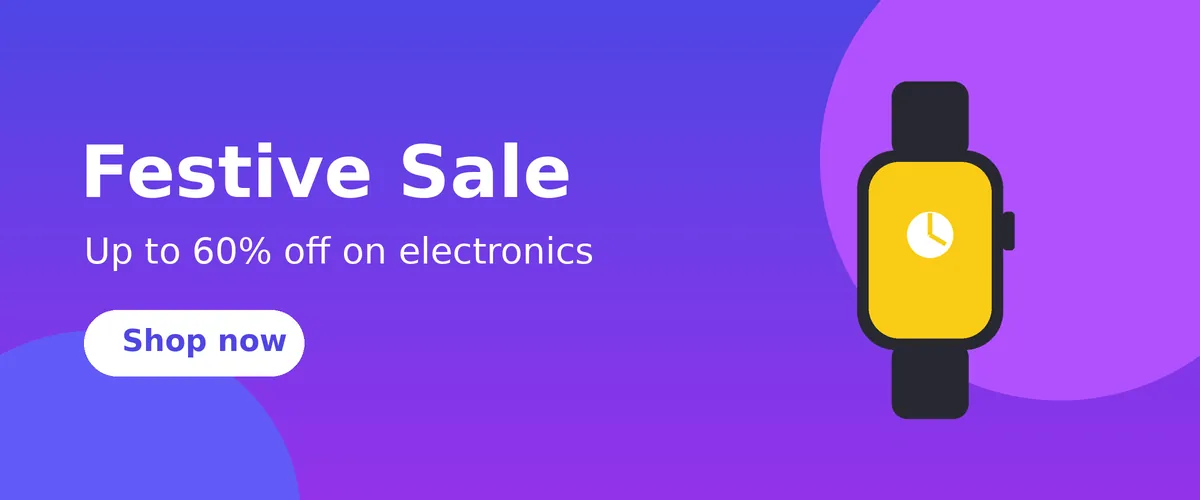
"id": 1,
"title": "Festive Sale",
"subtitle": "Up to 60% off on electronics",
"image": "https://yourdomain.com/karteasy/uploads/banners/b1.png",
"link_type": "category",
"link_id": 3
},
{
"id": 2,
"title": "New Fashion",
"subtitle": "Kurtas, sneakers & more",
"image": "https://yourdomain.com/karteasy/uploads/banners/b2.png",
"link_type": "category",
"link_id": 2
},
"… 1 more"
]
}
Home (1 item per list shown)
GET /karteasy/api/home.php
Authorization: Bearer 3f9c…e1a7
HTTP 200
{
"success": true,
"message": "OK",
"data": {
"banners": [
{
"id": 1,
"title": "Festive Sale",
"subtitle": "Up to 60% off on electronics",
"image": "https://yourdomain.com/karteasy/uploads/banners/b1.png",
"link_type": "category",
"link_id": 3
},
"… 2 more"
],
"categories": [
{
"id": 1,
"name": "Mobiles",
"image": "https://yourdomain.com/karteasy/uploads/categories/mobiles.png"
},
"… 5 more"
],
"featured": [
{
"id": 16,
"category_id": 6,
"name": "Cricket Bat English Willow",
"short_desc": "Full size, with cover",
"price": 3499,
"mrp": 4999,
"discount_pct": 30,
"stock": 12,
"image": "https://yourdomain.com/karteasy/uploads/products/p16.png",
"rating": 4.4,
"rating_count": 58,
"in_wishlist": false
},
"… 7 more"
],
"deals": [
{
"id": 8,
"category_id": 3,
"name": "Wireless Earbuds X2",
"short_desc": "30 hrs playback, ENC mic",
"price": 1099,
"mrp": 2999,
"discount_pct": 63,
"stock": 80,
"image": "https://yourdomain.com/karteasy/uploads/products/p8.png",
"rating": 4.2,
"rating_count": 640,
"in_wishlist": false
},
"… 9 more"
],
"new_arrivals": [
{
"id": 16,
"category_id": 6,
"name": "Cricket Bat English Willow",
"short_desc": "Full size, with cover",
"price": 3499,
"mrp": 4999,
"discount_pct": 30,
"stock": 12,
"image": "https://yourdomain.com/karteasy/uploads/products/p16.png",
"rating": 4.4,
"rating_count": 58,
"in_wishlist": false
},
"… 9 more"
]
}
}
Make it fast
- Each list has
LIMIT 10— Home never loads the whole catalogue. - The indexes on
category_idandpricefrom the database lesson keep queries quick. - Images are separate URLs, so Glide downloads them in parallel and caches them on the phone.
- The app keeps the last response in the OkHttp cache, so Home still appears when the phone is offline (Notifications & Offline lesson).
Frequently Asked Questions
Why one home.php instead of calling five endpoints?
Each request on a mobile network can take 200–800 ms. One request means the Home screen appears in one round trip, and the app needs only one loading state.
What size should banner images be?
KartEasy uses 1200 × 500 (2.4 : 1). Keep the text in the left half so it is not hidden on small phones, and keep the file under 200 KB (WebP or compressed JPG).
